
Nomad Sculpt
HexanomadArt & Design
3.6719.00 Reviews
- Version
- 2.8
- Installs
- 1.00M
- Age Rating
- Everyone
Screenshots
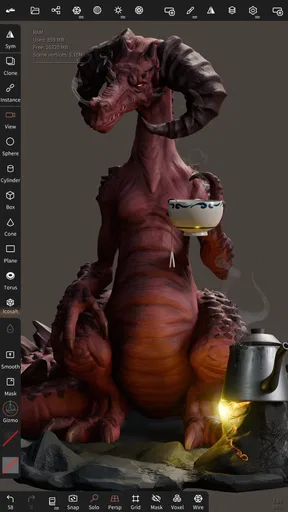
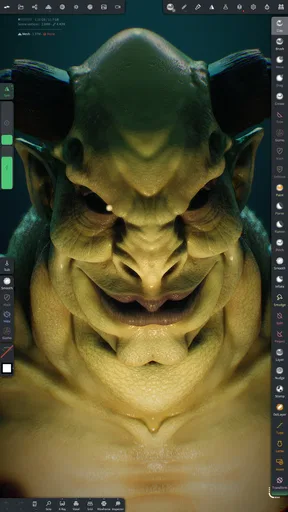
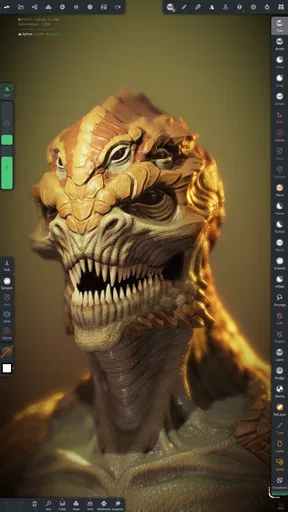
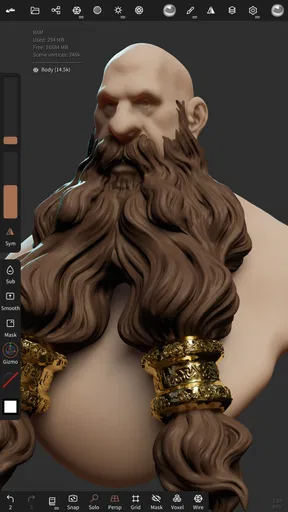
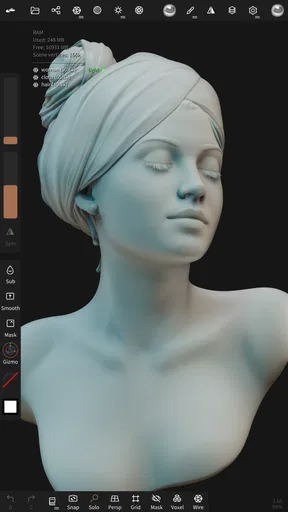
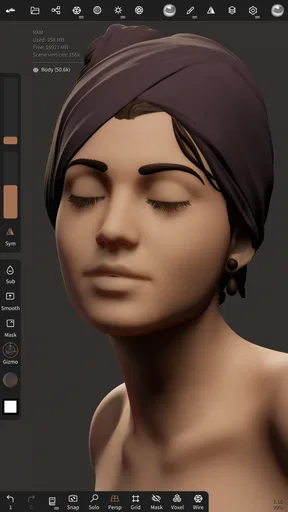
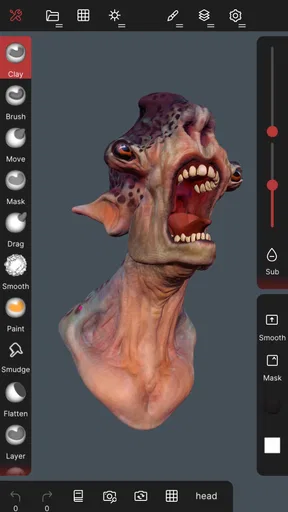
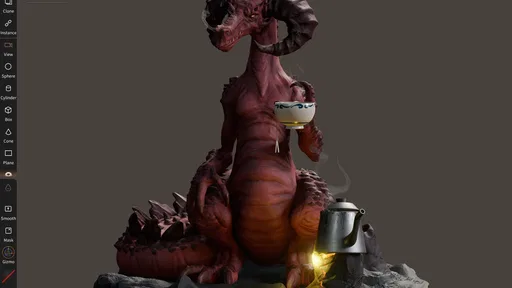
Our Review of Nomad Sculpt
 Analysis by Appyee
Have you ever wanted to unleash your inner sculptor without the hassle of clay under your fingernails? Well, let me introduce you to Nomad Sculpt, the app that's turning heads in the digital art world. If you're like me and love creating things on the go, then this app might just be your new best friend. Let's dive into what makes this app tick and why you might want to give it a whirl.
Getting Started with Nomad Sculpt
First things first, let's talk about what Nomad Sculpt is all about. Available on both Android and iOS, this app is designed for 3D modeling and sculpting right from your device. It's like having a mini art studio in your pocket. I was a bit skeptical at first, wondering how something so detailed could be done on my phone or tablet, but trust me, it works like a charm.
User Interface and Experience
Diving into the app, the user interface is sleek and intuitive. The developers have done an excellent job of making it accessible for both beginners and pros. When I first opened it, I was greeted with a clean layout that didn’t overwhelm me with too many options. Everything is where you’d expect it to be, which makes the learning curve much gentler.
One of the things I really appreciated was the customizable workspace. You can tailor the layout to suit your workflow, which is pretty neat. The controls are touch-friendly, and even if you’re not using a stylus, your fingers work just fine. That said, if you have an Apple Pencil or similar stylus, it takes the experience to a whole new level.
Features That Stand Out
Now, let's talk features. Nomad Sculpt is packed with tools that are both powerful and easy to use. You get a variety of brushes, each with its own unique effect. From clay brushes to smoothers, the options are vast. I spent hours just playing around with different textures and effects, and it felt incredibly satisfying.
Another feature that deserves a shoutout is the ability to work with layers. This is a game-changer for anyone serious about digital sculpting. It allows you to work on different parts of your model independently, which is crucial for complex projects.
Oh, and did I mention the dynamic topology? This feature automatically refines your mesh as you sculpt, ensuring that your model has the right amount of detail where it counts. It’s like having a smart assistant that knows exactly what your project needs.
Performance and Compatibility
Performance-wise, Nomad Sculpt is a beast. I was worried about lag or crashes, especially with larger models, but the app handled everything I threw at it with ease. It’s optimized to run smoothly on a wide range of devices, so you don’t need the latest gadget to enjoy it.
Compatibility is another area where Nomad Sculpt shines. You can export your creations in various formats, which makes it easy to import them into other software for further refinement. Whether you're printing your model or integrating it into a larger project, the app has you covered.
Community and Learning
One thing I love about the digital art community is how supportive it is, and Nomad Sculpt is no exception. There are plenty of tutorials and resources available online, and the community is active and welcoming. Whether you're a newbie or a seasoned artist, there's always something new to learn.
Plus, the developers seem really committed to the app’s growth. Regular updates mean new features and improvements, so it’s exciting to see where they’ll take it next.
Final Thoughts
So, is Nomad Sculpt worth your time? In my opinion, absolutely. Whether you're looking to dip your toes into 3D modeling or you're already a pro looking for a portable solution, this app delivers. It’s intuitive, powerful, and just plain fun to use. So go ahead, give it a try and see what masterpieces you can create!
Verdict
Strengths of Nomad Sculpt
- Intuitive interface for beginners.
- Detailed tutorials and guides available.
- Wide range of sculpting tools.
- Supports different file formats.
- Responsive and smooth performance.
Limitations of Nomad Sculpt
- Limited export options in free version.
- Can be resource-heavy on older devices.
- Steep learning curve for advanced features.
- No real-time collaboration features.
- Occasional crashes with large files.
Similar Picks in This Category
View All
Canva: AI Photo & Video Editor
Canva4.8

PENUP – Drawing-sharing SNS
Samsung Electronics Co., Ltd.4.5

Crafto
Kutumb App4.6

Sketchbook
Sketchbook4.1

ibis Paint X
ibis inc.4.5

Adobe Express: AI Photo, Video
Adobe4.6
Frequently Asked Questions
What platforms is Nomad Sculpt available on?
Nomad Sculpt is available for both Android and iOS devices. It offers a seamless experience on tablets and smartphones, making it accessible for artists on the go. The app is optimized for touch interfaces, ensuring smooth navigation and sculpting, whether you're using a stylus or your fingers.
Does Nomad Sculpt support exporting files to other 3D software?
Yes, Nomad Sculpt supports multiple file export options, including OBJ and STL formats, which are widely compatible with other 3D software. This allows users to easily transfer their projects to more complex applications for further editing or 3D printing, enhancing its versatility for professional use.
What are some of the key features of Nomad Sculpt?
Nomad Sculpt offers a range of powerful features, including dynamic topology, PBR painting, and layers. Users can also benefit from a variety of brushes, customizable materials, and intuitive controls. Its user-friendly interface makes it easy for beginners, yet it remains robust enough for experienced artists seeking detailed 3D modeling.
Is there a cost associated with using Nomad Sculpt?
Nomad Sculpt is a paid application, which requires a one-time purchase. This gives users access to all its features without the need for a subscription. The app occasionally offers updates and enhancements, ensuring users get good value for their investment. Check the app store for current pricing information.
What devices are recommended for the best performance of Nomad Sculpt?
For optimal performance, it's recommended to use Nomad Sculpt on devices with higher RAM and processing power. Tablets with stylus support, like the iPad Pro or high-end Android tablets, provide a more precise and responsive sculpting experience. However, it can also run on mid-range devices with satisfactory results.
